Grok Bot is a team of AI agents that work for you on a cloud computer: they sign in to your email, calendar, Slack or documents, run tasks in parallel and keep working even after you close the app. It’s built by SpaceX Super Intelligence (formerly xAI) together with Cursor, came out of beta on November 2, 2026, and starts at $30 a month. I use it, implement it and teach teams how to get real value out of it. Here’s what it does, what it costs and where I wouldn’t recommend it.
What Grok Bot is (and what it isn’t)
The number one mix-up on Google is confusing it with the Grok chatbot. They’re different products, and the official FAQ says so outright: “Grok (the chat app from SpaceXSI) and Grok Bot are two different apps.” The chatbot talks with you; Grok Bot does the work: it opens your apps, runs long tasks and asks for your approval when it’s about to touch something sensitive. The official site sums it up as “AI teammates you can give real work to.”
| Product | What it is | Where to find it in this directory |
|---|---|---|
| Grok (chat and API) | The chatbot and model family from SpaceX Super Intelligence (formerly xAI), for chatting or integrating via API | Grok review |
| Grok Bot | Agents with a cloud computer that do tasks in your apps | This page |
If you came here looking for a Telegram or Discord bot, or the free version of the chatbot, this isn’t it either. This page is about the work agent.
Who makes it and how long it’s been around
The x.ai/bot site is signed by SpaceX Super Intelligence LLC (“© 2026 SpaceX Super Intelligence LLC” in its footer): SpaceX announced on February 2, 2026 that it had acquired xAI (“SpaceX announced today that it has acquired xAI”). The product uses Cursor’s account, SSO and privacy mode: “Grok Bot uses your Cursor account, so there’s no separate login,” says the official guide. In practice, you sign in with your Cursor account. If you’re coming from an older Cursor plan, usage is metered on that account; on The X Subscription, where new customers start, it comes out of a weekly pool shared with Cursor and the Grok apps, and you can track it at grok.com/dashboard.
- August 11, 2026: beta on desktop and iOS, only for SuperGrok Heavy, Cursor Ultra and Cursor Teams Premium.
- August 26, 2026: included in every SuperGrok plan, Cursor Pro and Cursor Teams.
- November 2, 2026: Grok Bot 1.0, out of beta, according to the official launch post.
How it works
Each Bot works on a cloud computer with a browser, a file system and a terminal. That’s where it signs in to your tools and does the work while you get on with yours. You can run several Bots in parallel, and they don’t need your laptop to be open: close the app, the laptop or your phone and they keep going.
One detail the homepage leaves out and the fine print doesn’t: the site talks about “each Bot’s” computer, but the FAQ makes clear that your Bots share a single cloud computer, with the same files, sessions and logins. I’ll come back to this under limits.
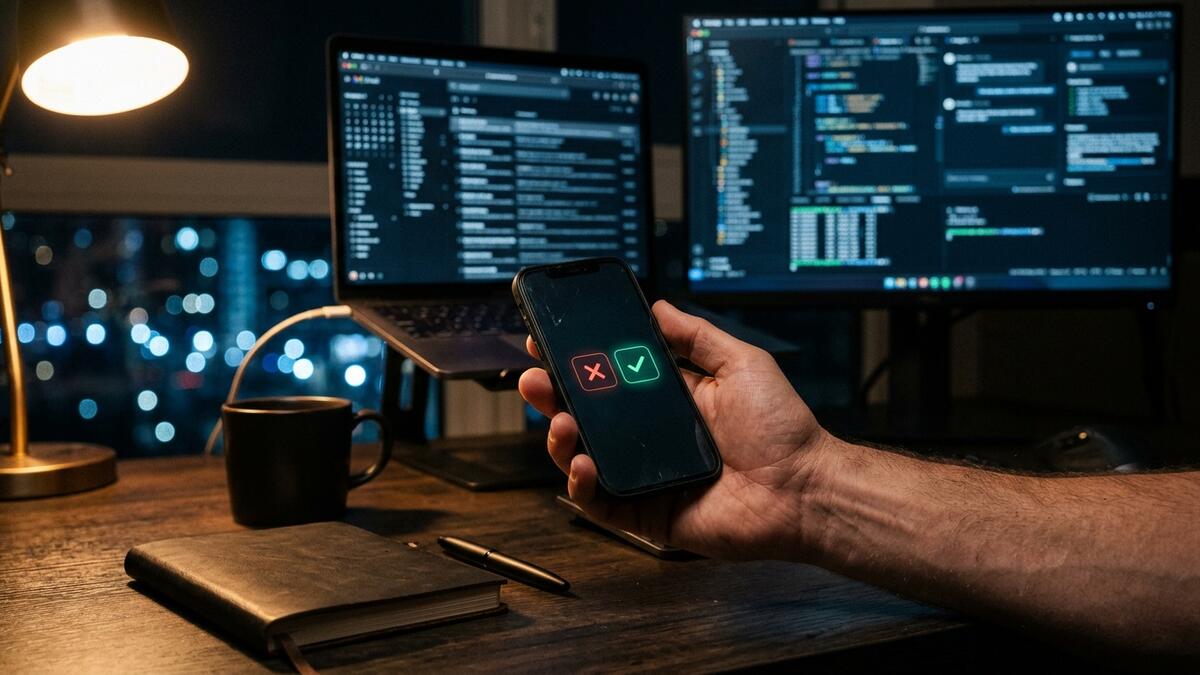
The desktop app isn’t the agent; it’s the control panel. From there you see what each Bot is doing, take over its computer remotely and approve its actions. On your own computer it only runs commands if you allow it, and by default it asks every time.
Where you can use it:
- Desktop: macOS (Apple silicon and Intel), Windows (x64 and Arm64) and Linux (x64 and Arm64), with automatic updates.
- Mobile: iOS 18 or later (iPad too) and Android 9 or later, with the “Grok Bot” app.
- Other ways in: from X Chat, by tagging @bot on X, and with Bots inside Slack and Microsoft Teams.
What it’s good for in a business
This is the difference between a directory listing and an operator’s review. These are the management and organization tasks where Grok Bot earns its keep, all grounded in what the product officially does:
- Calendar and meetings. It works with Google Calendar and can join Meet, Zoom and Teams meetings (a feature of the Team, Enterprise and Ultra plans). The Bot marketplace has one that builds a slide deck recapping the meeting.
- Email. It works inside your email and Gmail the way an assistant would, with one difference: sensitive actions can go through an automatic review (“Auto Review”) or wait until you approve them on a card.
- Reports and documents. It produces documents, presentations and editable “Pages.” The real value comes from turning that into a scheduled routine: the Monday report goes out on its own.
- Tasks and team follow-up. With Slack and shared team Bots, follow-up no longer depends on someone remembering. The marketplace includes a Chief of Staff and an Expense Manager, among others.
- Research. It monitors news, X, Reddit and Hacker News to prep for a decision or keep an eye on competitors.
- Workflows you teach it once. You show it a process; it learns it, remembers it and can work proactively. The feature for recording a task for it (“Teach a task”) is rolling out gradually.

◆ What I’ve seen setting it up. The leap doesn’t come from asking it for one-off things; it comes from designing two or three routines and deciding what a person signs off on and what they don’t. Without that, Grok Bot is just an expensive chatbot.
Grok Bot pricing today
Official prices from x.ai/bot, checked on November 15, 2026, in dollars ($), billed monthly, under The X Subscription plans:
| Plan | Price | What’s included |
|---|---|---|
| Premium | $30/month | The Bot’s computer, sign-in to your tools, scheduled routines and a weekly usage pool |
| Super | $100/month | 3.5x Premium usage and priority access to models at peak times |
| Ultra | $200/month | 12x Premium usage and early access to products and models |
| Overage | Based on token cost | Billed separately once you’ve used up your pool |
| Teams | Per-seat price not confirmed (the tab loads via JavaScript) | Every paid seat (Premium, Super or Ultra) includes Grok Bot |
| Enterprise | Contact sales | DLP, certificates, proxies and network controls |
◇ Price in euros and VAT: not published. The official pages I reviewed only list dollars and don’t mention countries or taxes. I also couldn’t confirm official availability in Spain. Before you budget for it, check the final price at checkout.
What you should know before you pay:
- Weekly usage. Each plan gives you a usage pool that resets every week. On The X Subscription, prepaid credit covers anything you go over; on legacy plans, on-demand usage only kicks in if you turn it on.
- Set a cap. You can set a monthly limit or turn off auto top-up, but the cap won’t stop a task that’s already running.
- Plus and Free don’t include Grok Bot. Legacy plans (Cursor Pro, Pro+, Ultra and Teams, plus linked SuperGrok or X Premium+) give you access, but the Grok Bot pages don’t list their prices.
- They don’t stack. If you have a Cursor plan and a linked SuperGrok account, whichever gives you more weekly usage applies.
- Linking SuperGrok to Cursor is permanent. Pick the right Cursor account before you link: you can’t move it yourself.
- There’s no permanent free plan. Some accounts get trial credit with a 7-day window, and it doesn’t turn into a paid plan. Heads-up: a trial started from the App Store is managed by Apple and does roll into a paid subscription if you don’t cancel in time.
In August, the beta only came with the priciest plans at the time (SuperGrok Heavy, Cursor Ultra and Cursor Teams Premium), so you’ll see articles quoting those entry prices. That setup is outdated: today’s reference is the table above.
How to get started with Grok Bot
- Cursor account. Grok Bot has no login of its own: you sign in with your Cursor account, or with your company’s SSO.
- Pick a plan. Premium to test it seriously; Super or Ultra if you’ll have several Bots working every day. If you already pay for SuperGrok or X Premium+, link your account at cursor.com/bot/onboarding, keeping in mind that the link is permanent.
- Install the app. Desktop from x.ai/bot (for teams, from the Grok Bot page in the Cursor dashboard) and mobile from the App Store or Google Play (“Grok Bot”).
- Check your privacy settings. Grok Bot requires cloud storage and doesn’t work with Cursor’s “Privacy Mode (Legacy).” That’s also where you check whether your data is excluded from training.
- Connect your apps sensibly. Logins go through its Vault, your password manager (1Password, for example) or a secure form; the official guide says the Bot never sees the password. Start with only the apps the first routine needs.
- Build one routine and its approvals. Just one, measurable, with anything sensitive behind an approval. Note: approvals for background tasks expire after roughly 30 minutes.
- Set the spending cap on day one.
Limits, privacy and data
- One shared computer. All your Bots share files, sessions and logins. The documentation is clear: don’t use separate Bots as a security boundary. And deleting a Bot doesn’t guarantee its files or logins get deleted: they can stay on that computer.
- You don’t choose the model. Grok Bot picks between in-house and third-party models for each task, and doesn’t show you which one it’s using.
- The security it does have. Encryption in transit and at rest, automatic review of sensitive actions (“Auto Review”) and, on Enterprise, DLP, certificates and proxies.
- Where the data lives. The security documentation says Grok Bot’s computers run in the United States (there’s a US-only residency program for businesses). Nothing I reviewed mentions GDPR; there is a DPA (data processing agreement) linked on x.ai. If you’re going to handle customers’ personal data, get the guarantees in writing first.
- Leaving. Deleting Grok Bot means deleting your Cursor account; your data is removed within 30 days. Refunds follow your subscription’s rules, and usage you’ve already consumed generally isn’t refunded.
Grok Bot alternatives
Entry prices from each vendor’s official pages, checked on November 15, 2026. Several pricing pages load via JavaScript and couldn’t be read in full, so those come with a note.
| Alternative | What it is | Entry price | Note |
|---|---|---|---|
| Claude Cowork (Anthropic) | An agent that works in the cloud from the Claude app (desktop, web and mobile) and keeps going after you close your laptop; it needs the desktop app to work with your local files and use your computer | Pro $20/month ($17 billed annually); Max $100/month; Team $25/seat ($20 billed annually); excluding tax | Since September 2026, Cowork and chat have been merging into a single “Claude” app. Claude review |
| ChatGPT agent (OpenAI) | ChatGPT’s agent features | Not confirmed: the official page loads prices via JavaScript (its code points to Pro “from” $100) | Today’s pricing page no longer names “ChatGPT agent”: it talks about ChatGPT Work (Plus and Pro) and Dot, “your always-on agent” (Pro only). Confirm before you buy. OpenAI review |
| Perplexity Comet | Browser with a built-in agent | Comet free; Comet Plus $5/month (included in Pro and Max); Pro and Max pricing not confirmed today | Data from official announcements in August and October 2025; the pricing page couldn’t be read |
| Manus | General-purpose cloud agent with a desktop app | Pro from $20/month (4,000 credits); Team from $20/seat | Price taken from the official help center; the pricing page couldn’t be read. Manus review |
| OpenClaw | Open-source agent you run on your own infrastructure | See review | OpenClaw review |
| Hermes Agent (Nous Research) | Open-source (MIT) agent with its own memory and skills that you run on your own server | Free; you pay for the model and hosting (optional Nous Portal) | Hermes Agent review |
Grok Bot vs Claude Cowork: the comparison with Claude is the one people search for most in English. Both work in the cloud and keep going after you close your laptop, so the difference lies elsewhere. Grok Bot gives you Bots with their own persistent computer that sign in to your apps and work as teammates inside Slack, Microsoft Teams and your meetings. Cowork lives inside the Claude app, next to the chat, and relies on the desktop app to touch your local files or use your computer. If you want several “teammates” splitting up your team’s work, Grok Bot is the better fit; if you already work in Claude and want to hand off long tasks from the same conversation, look at Cowork. The entry price is $30 versus $20 a month.
My operator’s verdict
Grok Bot is one of the few agent tools I can already put in front of someone who runs a business without them having to learn to code: it connects to what they use every day, works in the background and asks before touching anything sensitive. That’s why I implement it.
What I won’t hide from you: it’s a young product (beta in August, 1.0 in November 2026), the Bots’ computer is shared, you can’t choose the model and the price in euros with VAT is still unconfirmed. My recommendation: start with Premium, one routine and well-placed approvals. If it isn’t saving you real hours within two weeks, it’s not the tool for you, and it’s better to find that out early.
I’ll set it up and teach you how to use it
I already implement Grok Bot and train the teams who’ll use it. I have a client who brought me in to set it up for running and organizing their business, and the work comes down to picking the routines that genuinely save time, connecting only the apps that are needed, deciding what gets approved by hand and leaving the team using it without depending on me.
- If you want it up and running: AI agent implementation.
- If you want me to teach you and your team to set it up yourselves: AI Mentoring.
- If you’re not sure where to start: tell me about your situation and I’ll tell you whether Grok Bot is a fit or whether something else makes more sense.
Grok Bot FAQ
What is Grok Bot?
A team of AI agents from SpaceX Super Intelligence (the SpaceX company that acquired xAI) that runs on your Cursor account and works on a cloud computer: it signs in to your apps, runs tasks in parallel and asks for your approval on anything sensitive.
What is Grok Bot in Cursor?
It’s the same product. Grok Bot uses Cursor’s account, SSO and privacy mode, so you sign in with your Cursor account. On legacy Cursor plans, usage is metered on that account; on The X Subscription it comes out of the weekly pool shared with Cursor and Grok. Cursor Pro and Teams plans have included it since August 26, 2026.
How does the Grok app work?
It depends which one you mean. The Grok chat app is for talking with the model. The Grok Bot app is the control panel for your agents: you see what they’re doing, take over their cloud computer and approve their actions. They’re separate products.
What can Grok do?
The Grok chatbot talks and answers questions. Grok Bot, on the other hand, works with email, calendar, Slack, documents, Gmail, Google Calendar and GitHub; runs scheduled routines; understands voice; joins meetings (Team, Enterprise and Ultra plans); learns workflows; and produces documents, presentations and “Pages.”
How much does Grok Bot cost?
Premium is $30 a month, Super is $100 (3.5x Premium usage) and Ultra is $200 (12x), billed monthly. Overage is charged at token cost. For teams, every paid seat includes it; Enterprise goes through sales.
Is Grok Bot free?
There’s no permanent free plan, and The X Subscription’s Plus and Free plans don’t include it. Some accounts get trial credit with a 7-day window.
Is Grok Bot priced in euros, with VAT?
That isn’t published. The official pages only show dollars and don’t mention countries or taxes. Check the final amount at checkout before you budget for it.
What are bots in AI?
Programs that do tasks for you using AI. Chatbots only talk; agents like Grok Bot also take action: they open apps, fill things in, write drafts and carry out steps with your permission.
What’s the difference between ChatGPT and a chatbot?
“Chatbot” is the type of program that talks with you; ChatGPT is one specific chatbot, OpenAI’s. Grok Bot doesn’t fall into that category: it’s an agent that gets work done, not a chat.
Does Grok Bot control my computer?
Not by default. It works on a cloud computer. On your desktop it only runs commands if you allow it, and by default it asks you every time.
What devices does Grok Bot work on?
macOS (Apple silicon and Intel), Windows (x64 and Arm64) and Linux (x64 and Arm64), iOS 18 or later (including iPad) and Android 9 or later. You can also use it from X Chat, by mentioning @bot on X, and in Slack and Microsoft Teams.
What AI model does Grok Bot use?
You don’t choose it, and it doesn’t tell you. Grok Bot picks between in-house and third-party models for each task.
Is it safe to connect Grok Bot to my email and accounts?
It comes with encryption in transit and at rest, sign-in through a password manager without the Bot ever seeing the password, and automatic review (“Auto Review”) of sensitive actions. The Bots’ computers run in the United States. The weak spot: all your Bots share the same computer and its logins, so keep sensitive data separate by account, not by Bot.
What are some AI apps similar to Grok Bot?
Claude Cowork, ChatGPT’s agent features (now ChatGPT Work and Dot; confirm before you buy), Perplexity Comet and Manus, plus OpenClaw if you want to run it on your own infrastructure. You’ll find the comparison with prices above.
Can you help me roll it out at my company?
Yes. I set it up and train the team that’s going to use it. You can see how I approach agent implementation or message me directly.
Official sources checked on November 15, 2026: x.ai/bot · Grok Bot FAQ · Getting started guide · Grok Bot 1.0 · Grok Bot on more plans · Cursor announcement · Grok Bot security · Grok Bot on The X Subscription. Alternative pricing: Claude · Claude Cowork · ChatGPT · Manus (official help center) · Comet free · Comet Plus.