
OpenClaw is an open-source AI assistant you install on your own computer or server and talk to from the chat apps you already use: WhatsApp, Telegram, Slack, Discord, iMessage, Teams and more than twenty others. It summarizes your inbox and calendar, does research, drafts, reminds you of what’s pending and, if you let it, drives a browser for you. The software is free (MIT license); you pay for the AI model you choose and, if you want it always on, the server. I’ve checked it against its official sources, so here’s what it really is, what it costs and where it can bite you.
◇ This review was rewritten on November 16, 2026. The previous version described it as a “runtime for browser agents” and cited a viral car-buying story. Neither holds up against the official sources: OpenClaw is a multi-channel assistant (the browser is just one tool), and that story doesn’t appear in any official source, so I’ve taken it out.
What OpenClaw is (and what it isn’t)
The official docs sum it up in one sentence: “OpenClaw is an AI assistant you run on your own infrastructure - for yourself, or shared with your team.” It replies on the messaging apps you already use.
The core piece is the Gateway: an always-on process that acts as the control plane. It receives messages from your chats, decides which agent handles them, calls the AI model and runs the tools (files, terminal, browser, calendar). Around it there’s a web dashboard, a CLI, and desktop and mobile apps with voice, camera and screen access. The same Gateway works as “a personal claw” or as an assistant shared by a whole team.

What it isn’t:
- It isn’t a browser agent. In the official list of its five everyday uses, browser automation (“filling forms, collecting data, repeating web tasks”) is just one of them, alongside daily briefings, research, reminders and cross-device coordination.
- It isn’t owned by OpenAI. More on that below, since it’s the most common question.
- It isn’t a cloud service. There’s no official hosted version: you run it yourself (or I set it up for you) on your machine or a server.
- It has no crypto token. The README says it plainly: “no paid tier, hosted service, or token.” If someone offers you an “OpenClaw token,” it’s a scam: the project’s own history notes that fake tokens launched within minutes of the rename.
Who’s behind OpenClaw
Peter Steinberger created it, and today it’s run by the OpenClaw Foundation, an independent nonprofit (a US 501(c)(3)) that, according to the README, employs the core team and signs the releases. Its donors include Amazon, OpenAI, Red Hat and the University of Michigan, and the docs mention more than thirty organizations, including Atlassian, GitHub, Microsoft, NVIDIA and Tencent.
So is it OpenAI’s? No. The official FAQ puts it this way: “Is OpenClaw owned by OpenAI? No. OpenClaw is stewarded by the OpenClaw Foundation, an independent 501(c)(3). OpenAI is one of several donors, and its creator works there. Donors do not own, control, or direct the project.” The same answer adds that no lab’s model gets special treatment in the code.
From Clawdbot to OpenClaw: where the name came from
If you knew it under another name, it’s the same project. According to the official lore page:
| Name | When | Why it changed |
|---|---|---|
| Warelay | The beginning | A WhatsApp gateway |
| Clawd / Clawdbot | November 25, 2025 to January 27, 2026 | Anthropic asked for a name change over trademark concerns |
| Moltbot | January 27, 2026 | Picked by the community on Discord; it never quite stuck |
| OpenClaw | January 30, 2026 | The final name, with the repo at github.com/openclaw/openclaw |
The repo was created on November 24, 2025. So any article talking about “OpenClaw” before January 2026 is mixing up its dates.
OpenClaw by the numbers (November 16, 2026)
| Fact | Value |
|---|---|
| License | MIT |
| GitHub stars | 394,534 (82,895 forks) |
| Latest stable release | v2026.11.3, released November 10, 2026 |
| Release cadence | A stable release every two or three days in November (v2026.10.10 on the 3rd, v2026.11.1 on the 5th, .2 on the 8th, .3 on the 10th) |
| npm downloads | 12.35 million over the last 30 days (as of November 14) |
| Language | TypeScript on Node.js |
| Platforms | macOS 15+, Windows 10 and 11 (x64 and ARM64), Linux x64, iOS, Android, ChromeOS, Raspberry Pi and servers |
| Chat channels | 20+ |
| Telemetry | Just a daily version check; anonymous stats are opt-in, and you can turn it off |
That release cadence is good news (fixes land fast) and a warning: if you’re going to rely on it, someone has to own updating it and reviewing what changes.
What OpenClaw can actually do
The official FAQ lists five everyday uses, and they’re the ones I’d start with in a business:
- Personal briefings: your inbox, your calendar and the news you care about, in one message.
- Research and drafting: quick research, summaries and first drafts of emails or documents.
- Reminders and follow-ups: scheduled nudges and checklists that show up in chat on their own.
- Browser automation: filling forms, collecting data and repeating web tasks.
- Cross-device coordination: send a task from your phone, the Gateway runs it on a server and you get the result back in chat.
For lead gen, ads or blogging, the FAQ is cautious and I agree: let it research, qualify and draft, but have a person approve anything before it goes out. “Let OpenClaw draft; you approve.”
Supported channels: WhatsApp (paired with a QR code), Telegram (the quickest to connect: all it needs is a bot token), Discord, Slack, iMessage, Signal, Google Chat, Microsoft Teams, Matrix, Mattermost, LINE, IRC, SMS via Twilio, WebChat, X, voice calls and more.
Models it can use: Anthropic (Claude), OpenAI (including signing in with ChatGPT or Codex), Google Gemini, OpenRouter, xAI, MiniMax, Moonshot Kimi, Z.AI GLM, NVIDIA, OpenCode and Vercel AI Gateway, plus local models through Ollama, LM Studio, llama.cpp, vLLM or SGLang. You can extend it with skills and plugins from its catalog, ClawHub.
What OpenClaw really costs
The software costs nothing. The official site says it this way: “No subscription. No hosted tier. No token.” The real cost sits in two other places:
| Item | What you pay for | Amount |
|---|---|---|
| OpenClaw software | Nothing: MIT license | Free |
| AI model | Paid to your provider (Anthropic, OpenAI, Google, OpenRouter…), either per API usage or through a subscription you already have, like ChatGPT | Depends on the model and how much you use it; OpenClaw doesn’t publish figures |
| Local model | Ollama, LM Studio and the like don’t charge per use, but you need hardware that can run them | Depends on your hardware |
| Server | Optional. If you want the assistant available around the clock, a VPS or a machine that stays on. The docs include guides for Hetzner, DigitalOcean, Hostinger, Fly.io, Google Cloud, Azure, Oracle (Always Free tier), Railway, Render, Northflank and Raspberry Pi | Set by each provider; the docs don’t list prices |
| Maintenance | Updates, security reviews, keeping an eye on model spend | Your time, or whoever runs it |
◇ I won’t give you a fixed monthly number, on purpose. No official source publishes one, and model spend varies enormously depending on the model and what you ask it to do. If I set it up for you, step one would be measuring real usage for a few days and setting spending limits with the model provider.
How to install OpenClaw
Requirements: Node.js 24.16.0 or later on the 24.x line, or 26.1.0 or later (the docs recommend Node 26), on macOS, Linux or Windows. If you don’t have Node, the installer sets it up. You also need access to a model: an API key, or an existing Claude Code or Codex login, which onboarding can reuse.
- macOS and Linux:
curl -fsSL https://openclaw.ai/install.sh | bash - Windows (PowerShell):
iwr -useb https://openclaw.ai/install.ps1 | iex. On Windows, the native Windows Hub app is the easiest path; WSL2 is the most Linux-compatible option for the Gateway. - With npm:
npm install -g openclaw@latest --allow-scripts=openclaw, thenopenclaw onboard --install-daemon, which leaves the Gateway running in the background. - Other options: Docker, Nix or building from source.
The official guide estimates about five minutes to get the Gateway running and your first chat going. My advice: start with Telegram, which needs no plugin, and save WhatsApp for later, since it pairs by QR code and stores more state on disk. And only download from openclaw.ai or the official repo: lookalike domains that have nothing to do with the project show up on Google.
Security: what the official docs admit
This is the difference between trying OpenClaw on a Sunday and putting it to work at a company. Everything below comes from the official docs, not from my opinion:
- Sandboxing ships turned off. “Tools run on the host for the main session unless you configure sandboxing,” says the README. The official comparison page repeats it and adds that command approvals are off too: “Sandboxing and exec approvals are off by default.”
- Treat everything that comes in as suspect. The README puts it this way: “Treat inbound messages as untrusted input.” By default, unknown senders in DMs have to pair before they can talk to the assistant and, on a regular install, the Gateway only listens on the local machine.
- Prompt injection isn’t solved. An email or a web page can hide instructions aimed at the model. The docs acknowledge that, once the attacker adapts, there are published success rates above 80% against state-of-the-art defenses, and that small or older models are “markedly easier to steer.”
- The browser inherits your sessions. If you give it a browser with logged-in accounts, the model can get into those accounts. The official recommendation: a dedicated profile, never your personal browser.
- One Gateway, one trust boundary. It isn’t built for users who don’t trust each other. If that’s your situation, use separate Gateways or hosts.
- On a company server, use a dedicated runtime and don’t sign it into personal Apple or Google accounts or personal password managers.
- There’s a built-in audit:
openclaw security audittells you when your configuration has drifted from the recommended setup.
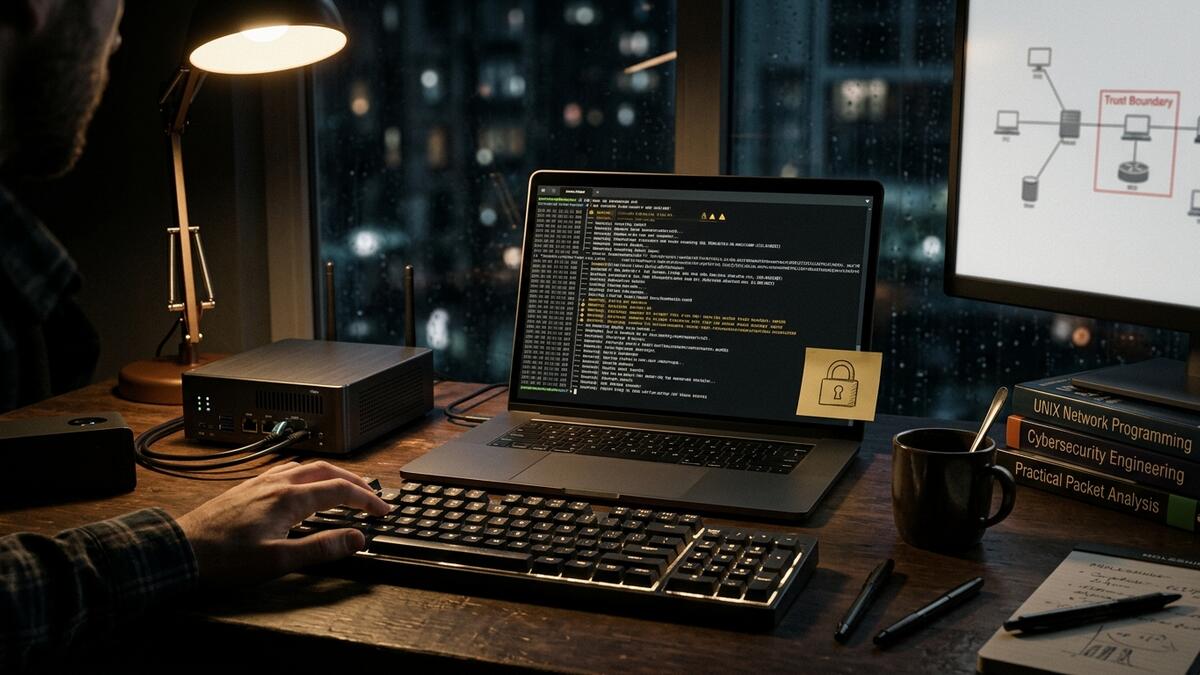
◆ My minimum checklist before putting it to work. A dedicated server or machine, sandboxing and approvals turned on for anything sensitive, a browser profile of its own, only the channels and accounts it actually needs, a capable model for anything that reads outside content, and a clean security audit. Done that way, OpenClaw is a serious tool; without it, it’s a liability with good press.
On data privacy and GDPR: there’s no official page on it. What is clear is that your messages go to whichever model provider you configure, so if you’re going to handle customers’ personal data, review that provider’s terms or use a local model. I couldn’t verify specific security incidents (malicious skills, published vulnerabilities) in official sources, so I won’t give you numbers.
Should you be using OpenClaw?
It’s a fit if you want your own assistant in the chat app you already use, you want to choose the model (or keep it local), your team trusts each other, and you have someone, in-house or outside, to maintain and update it.
It’s not a fit if you want something managed with support and no upkeep, if your users don’t share the same level of trust, if you won’t put time into security, or if you need a fixed monthly price before you start. In that case, look at the managed alternatives below.
OpenClaw alternatives
| Alternative | What it is | Entry price | When to pick it |
|---|---|---|---|
| Hermes Agent (Nous Research) | The other big open-source, self-hosted agent: MIT, 263,637 stars, lives in Telegram, Discord, Slack, WhatsApp and Signal, and creates and improves its own skills as you use it | Free (MIT); model and server extra | If its learning loop and memory appeal to you, or you prefer its ecosystem |
| Grok Bot (SpaceX Super Intelligence + Cursor) | Managed agents with their own cloud computer | $30/mo (Premium)* | If you don’t want to maintain a server and you’re fine with the vendor picking the model |
| Claude Cowork (Anthropic) | The Claude app’s agent, working in the cloud and on your desktop | Pro $20/mo* | If you already work in Claude and want something managed |
| ChatGPT’s agent features (OpenAI) | An agent inside ChatGPT | Not confirmed: the official pricing page loads prices via JavaScript | If your team already lives in ChatGPT |
| Manus | General-purpose cloud agent | Pro from $20/mo* | For research and long tasks without setting anything up |
* Prices in dollars from the official pages (Grok Bot, Claude and the Manus help center), checked on November 16, 2026; Claude Pro is the monthly-billing price. Confirm them before you buy.
OpenClaw vs Hermes Agent
It’s the most searched comparison, and for good reason: both are open source under the MIT license, free and self-hosted, and both talk to you through Telegram, WhatsApp or Slack. OpenClaw’s own docs call Hermes “the recurring comparison.”
| OpenClaw | Hermes Agent | |
|---|---|---|
| Who makes it | OpenClaw Foundation (independent foundation) | Nous Research |
| License and price | MIT, free | MIT, free |
| GitHub stars (Nov 16, 2026) | 394,534 | 263,637 |
| Language | TypeScript (Node.js) | Python |
| Focus | An assistant in your chats around a central Gateway; models and agent harnesses (Claude Code, Codex) as swappable plugins | An agent that learns: it creates skills from experience and improves them with use |
| Security (per OpenClaw’s docs) | Separates the trusted Gateway from execution and enforces policy in code, but with sandboxing off by default | Its security policy says the only boundary against an adversarial model is the operating system |
Take that last row with a grain of salt: it’s OpenClaw’s read on its competitor, and the page itself warns that it compares configured architectures, not default security. My take: if what you want is an assistant for yourself or your team in the chat apps you already use, with lots of channels and your choice of model, go with OpenClaw. If what matters most is an agent that learns and builds up its own procedures, try Hermes. The details are in the Hermes Agent review.
My operator’s verdict
OpenClaw has matured a lot since the January hype: it has a foundation, a paid team, signed releases, a one-line installer, desktop apps and honest security documentation. It’s the most direct way to get your own assistant in WhatsApp or Telegram without paying for licenses or depending on a vendor.
What I won’t hide from you: it’s designed for a single trusted operator, with sandboxing off, and prompt injection is still an open problem the docs themselves acknowledge. That’s why I don’t recommend a “just install it” approach at a company. My recommendation: start with one small use case (the daily briefing or team reminders), on a dedicated machine, with a strong model, spending limits and approvals on anything it sends or buys. If it isn’t saving you real time within two weeks, switch it off: you won’t have paid a cent in license fees.
I’ll set it up and teach you how to use it
I’ll set up OpenClaw for you and train the team who’ll use it: I work with you to pick the first use case that genuinely saves time, set it up on a dedicated machine with hardened security, connect only the channels and accounts it needs, tune the model and spending limits, and teach the team to use it without depending on me.
- If you want it up and running: AI agent implementation.
- If you want me to teach you and your team to set it up yourselves: AI Mentoring.
- If you’re not sure where to start: tell me about your situation and I’ll tell you whether OpenClaw is a fit or whether a managed option makes more sense.
If you’re new to all this, it helps to read first what an AI agent is.
OpenClaw FAQ
What is OpenClaw?
An open-source (MIT) AI assistant you install on your computer or server and talk to through WhatsApp, Telegram, Slack, Discord, iMessage and other chat apps. An always-on process, the Gateway, connects your chats to the AI model and to tools like files, the terminal, the calendar and the browser. People use it for inbox and calendar summaries, research, drafts, reminders, scheduled tasks and, if you allow it, browser automation.
What can OpenClaw actually do?
According to its FAQ, the five everyday uses are personal briefings, research and drafting, reminders and follow-ups, browser automation, and cross-device coordination. It can also prep lead gen or ad copy, as long as a person approves things before they go out.
Is OpenClaw free or paid?
Free. It’s MIT-licensed and, per its own README, has no paid tier, hosted service or token. Any “premium version” or “OpenClaw” crypto token you’re offered isn’t official.
How much does OpenClaw cost per month?
The software costs nothing. What you pay monthly is the AI model (to your provider, per API usage or through a subscription you already have) and, if you want it always on, the server. OpenClaw doesn’t publish monthly figures because they depend on the model, your usage and your provider.
Who founded OpenClaw?
Peter Steinberger. Today it’s run by the OpenClaw Foundation, an independent nonprofit (501(c)(3)) that employs the core team and signs the releases.
Who’s behind OpenClaw?
The OpenClaw Foundation, an independent nonprofit (501(c)(3)) that employs the core team and signs the releases. Its donors and partners include Amazon, OpenAI, Red Hat, Microsoft and NVIDIA, and the official FAQ makes it clear that donors don’t control the project.
Is OpenClaw owned by OpenAI?
No. The official FAQ is clear: OpenAI is one of several donors and the creator works there, but the foundation runs the project and donors don’t control it. It works with models from Anthropic, Google, OpenAI, local models and many more.
Where did OpenClaw get its name?
It started as Warelay, became Clawdbot in November 2025, switched to Moltbot on January 27, 2026 after Anthropic asked for a name change over trademark concerns, and became OpenClaw on January 30, 2026. The project says “Open” is for open source and “Claw” for its lobster heritage.
What are the minimum requirements to install OpenClaw?
Node.js 24.16.0 or later on the 24.x line, or 26.1.0 or later (the installer sets it up if you don’t have it), macOS, Linux or Windows, and access to an AI model: an API key or an existing Claude Code or Codex login. To keep it available around the clock, a machine that stays on or a server.
How do I install OpenClaw using npm?
With Node.js 24.16.0+ (24.x) or 26.1.0+, run npm install -g openclaw@latest --allow-scripts=openclaw, then openclaw onboard --install-daemon to set up your model and leave the Gateway running in the background. You can also try it without installing anything with npx openclaw@latest.
Which operating system is best for OpenClaw?
It runs on macOS 15 or later, Windows 10 and 11 and Linux, with apps for iOS and Android. For an assistant that has to be available at all hours, I prefer a dedicated Linux server, which the docs cover with guides for several providers. On Windows, the docs recommend the Windows Hub app, or WSL2 if you want maximum compatibility.
How do you use OpenClaw?
You install it with a single command, the setup wizard connects your model and opens the control panel, and then you add a channel (Telegram is the quickest). From there you message it like you would a person: ask for a summary, some research or a reminder, and it answers in the chat.
Can OpenClaw control your computer?
Yes, if you let it. By default, tools for the main session run directly on the host, with sandboxing and command approvals turned off, so it can work with files, the terminal and, if you enable it, a real browser. That’s exactly why it belongs on a dedicated machine with sandboxing and approvals switched on.
Can I run OpenClaw safely?
Yes, if you configure it properly, but it isn’t hardened out of the box: sandboxing is off, the browser inherits logged-in sessions, and prompt injection is still unsolved, according to its own docs. Use a dedicated machine, a separate browser profile and approvals for anything sensitive, and run openclaw security audit.
Is OpenClaw shutting down?
Nothing in the official sources suggests that. As of November 16, 2026, the project was shipping stable releases every few days (the latest, v2026.11.3, came out on November 10) and is backed by a foundation with a full-time team.
Should I be using OpenClaw?
If you want your own assistant in your usual chat apps, want to choose the model and have someone to maintain it, yes. If you’re after something managed with no upkeep, a managed alternative like Grok Bot, Claude Cowork or Manus is a better fit.
OpenClaw or Hermes Agent: which one should I pick?
It depends on what you’re after. Both are MIT, free and self-hosted. OpenClaw is more focused on being your assistant across many chat channels, with a central Gateway and swappable models; Hermes Agent, from Nous Research, on an agent that learns and creates its own skills. The full comparison is above.
Can you help me roll it out at my company?
Yes. I’ll set it up for you with hardened security and train the team that’s going to use it. You can see how I approach agent implementation or message me directly.
Official sources checked on November 16, 2026: openclaw.ai · Repo and README · Releases · FAQ: what is OpenClaw · Why OpenClaw (comparison with Hermes) · Lore · Install · Getting started · Platforms · Channels · Model providers · VPS hosting · Security · Prompt injection · Browser control risks · npm package. Hermes Agent: Nous Research repo.